Monday - Thursday 9AM - 5PM | Friday 9AM - 4PM

Best Data Logging Solutions for Industrial Applications

Ask five engineers what “data logging” means and you’ll get five different pictures in their heads. One’s thinking of a $200 temperature logger zip-tied to a pallet. Another’s picturing a rack of DAQ hardware wired into a test rig. A third is thinking about a tablet showing live sensor feeds from a haul truck fleet. They’re all correct, and that’s exactly the problem when you’re trying to pick one.
I’ve specified logging equipment for jobs as small as a single overnight vibration check and as large as a mine-wide monitoring rollout. The gear that’s right for one is almost useless for the other. This guide breaks down the main categories of data logging solutions on the market today, from standalone portable units through to networked industrial DAQ systems, and gives you a practical way to match the solution to the job in front of you.
The Data Logging Spectrum, From Pocket Loggers to Full Networks
“Data logging solution” covers a wide range of hardware, and the differences matter more than the marketing usually suggests. At one end sits the standalone portable logger: cheap, self-contained, and built to record one or two parameters over a set period. At the other end sits a fully networked industrial DAQ system, capable of pulling in data from dozens of sensors across a site and streaming it live to a control room.
Most real jobs fall somewhere between these two extremes, which is exactly why it pays to understand what each category actually does well before picking one.
Standalone Portable Data Loggers
A standalone logger is a small, battery-powered unit with its own sensor (or an input for an external one), onboard memory, and usually a basic display or none at all. You set it up, leave it running, and come back later to pull the data off manually, typically over USB or via a memory card.
These units are the right call when the job is short, the location is remote or hard to cable, or you genuinely only need one or two measurement points. A temperature logger left inside a container for a week. A vibration logger strapped to a pump housing overnight. A pressure logger recording a single test cycle. None of that needs a network connection or a live dashboard, it just needs to record reliably and hand over clean data at the end.
The trade-off is obvious once a job grows past a handful of channels. Manually retrieving data from fifteen standalone loggers scattered across a site eats a full day before anyone’s even looked at a single number. That’s the point where it’s worth stepping up to something with more channels and less manual handling.
Multi-Channel Field DAQ Systems
A step up from standalone loggers, multi-channel field DAQ systems bring several sensor inputs, often four, eight, or more, into a single logging unit. They’re common for equipment trials, commissioning tests, and short-term investigations where a technician needs several measurement points running in sync, but doesn’t need a permanent installation.
These systems typically still work as a temporary rig: cabled to the sensors, logging locally, and reviewed after the test finishes. What they add over a bag of standalone loggers is synchronised timestamps across every channel, which matters enormously when you’re correlating, say, pressure and vibration during the same event. Trying to line up separately-retrieved logger files after the fact is tedious and error-prone by comparison.
Networked and Wireless DAQ Systems
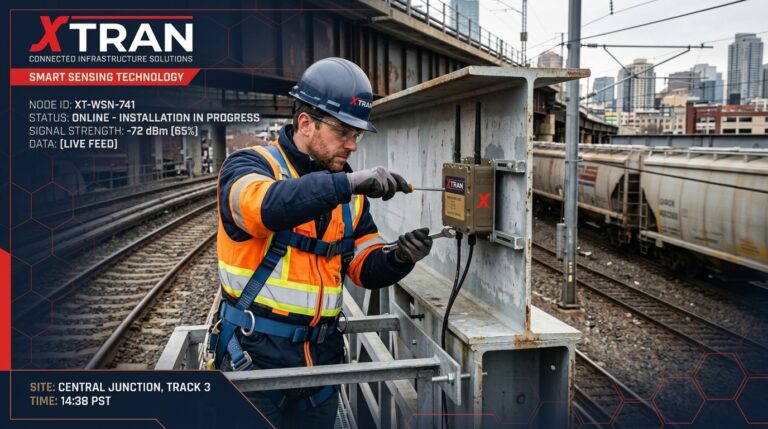
At the top end of the spectrum sit networked systems built for ongoing, multi-sensor monitoring across a site, a piece of heavy equipment, or an entire fleet. XTRAN’s XTMS platform is a good example. It’s built around wireless sensors reporting back to a base station, with viewing and logging software that can display and record data from up to 100 sensors at once, all without a maze of cabling across live equipment.
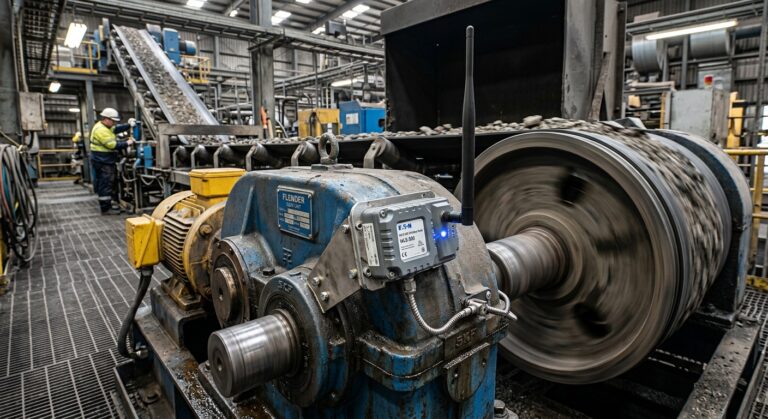
This category earns its keep when the job is ongoing rather than a one-off test, when personnel shouldn’t be near the equipment to take manual readings, or when several stakeholders need to see the same data in real time rather than waiting for someone to retrieve a memory card. Mining maintenance is a textbook case: taking pressure and load readings on live machinery by hand is dangerous, so a wireless system that reports back to a safe location removes that risk entirely.
The trade-off runs the other way from standalone loggers. Networked systems cost more upfront and take longer to commission properly, so they’re overkill for a two-day spot check but the obvious answer for anything that needs to keep running for months.
Comparing the Options at a Glance
| Solution Type | Best For | Channel Count | Deployment Style |
|---|---|---|---|
| Standalone portable logger | Single-post spot check, short studies | 1-4 channels | Set, retrieve, download manually |
| Multi-Channel field DAQ | Equipment trials, commissioning test | 4-20+ channels | Temporary rig, local storage |
| Network / Wireless DAQ (e.g XTMS) | Ongoing monitoring across a site or fleet | Up to 100 sensors | Live view, remote logging |
Matching the Solution to Your Application
Four questions usually narrow the field fast:
- How many measurement points do you actually need, right now and over the life of the project?
- How long does the deployment need to run: hours, weeks, or indefinitely?
- Does anyone need to see the data live, or is after-the-fact analysis good enough?
- Is the measurement location safe and practical to access for manual data retrieval?
A short answer of “a handful of channels, a few days, review it later, easy access” points straight at a portable logger or small field DAQ. A short answer of “dozens of channels, months, live view needed, hazardous to access” points just as clearly at a networked system. Most projects sit somewhere in between, which is where it’s worth talking through the options with someone who’s specified this kind of gear before rather than guessing.
Buy or Hire: Trialling Before You Commit
Here’s the part that gets skipped too often: you don’t have to guess right the first time. Buying a full DAQ deployment before confirming it actually suits the application is an expensive way to find out it doesn’t.
This is where hire options change the calculation. Companies like XTRAN offer their data logging and viewing equipment, including rugged tablets and base stations, for both purchase and hire. That means a team can trial a networked system on an actual job site, with real sensors and real conditions, before signing off on a full rollout across a fleet or facility.
Hiring first has an obvious cost benefit, but the bigger win is confidence. A trial deployment surfaces the practical questions a spec sheet never answers: does the wireless range actually hold up around this equipment, is the tablet legible in direct sun, does the crew find the interface intuitive after a shift or two. Those answers are worth a lot more once you’re committing budget to permanent hardware.
How XTRAN Builds Logging Into the Bigger Picture
XTRAN doesn’t treat data logging as a bolt-on. Sensors, signal conditioning, wireless communication, and logging are specified as one system, so the viewing and logging software is already matched to the sensor types and channel count a project actually needs, rather than bolted on afterwards.
For mining and defence applications in particular, that matters because the logging hardware has to survive the same vibration, dust, and temperature swings as the sensors it’s connected to. A consumer-grade logger that works fine in a lab won’t last a week on a haul truck. XTRAN’s Milspec rugged tablet option, built around a CNC-machined aluminium chassis and a touchscreen that works wet or gloved, is designed specifically for that environment rather than adapted from an office product.
If you’re still working through which sensors your application actually needs, it’s worth having that conversation alongside the logging conversation. The two decisions shape each other: channel count and sensor type both drive which logging category makes sense.
Frequently Asked Questions
- What’s the difference between a data logger and a DAQ system?
- Can I hire data logging equipment instead of buying it?
- How many sensors can a networked logging system handle at once?
- Do portable loggers need an internet or wireless connection?
A data logger is typically a self-contained unit recording one or a few channels for later retrieval. A DAQ (data acquisition) system usually refers to a broader setup handling multiple channels, often with live viewing, and sometimes networked across several sensors or locations.
Yes. Providers such as XTRAN offer data logging and viewing equipment for both purchase and hire, which lets a team trial a system on a real job before committing to a full purchase.
It depends on the platform. XTRAN’s XTMS system, for example, can log and display data from up to 100 sensors simultaneously through a single base station and tablet setup.
No. Standalone portable loggers generally work offline, storing data locally until it’s manually downloaded. Wireless connectivity becomes relevant once you move into networked or live-monitoring systems.
Choosing With Confidence, Not Guesswork
There’s no single “best” data logging solution, only the one that fits the channel count, duration, and environment of the job in front of you. Standalone loggers handle the small, short jobs cleanly. Multi-channel field DAQ covers synchronised short-term testing. Networked systems earn their cost on ongoing, safety-critical, or large-scale monitoring.
If you’re not sure which category your application falls into, or you’d rather trial a system before buying one outright, talk to XTRAN’s team about purchase and hire options for your next deployment.
Contact XTRAN Phone: (03) 98745777 Email: info@xtran.com.au Location: Unit 24 A/49 Corporate Blvd, Bayswater VIC 3153, Australia Hours: Monday to Thursday 09:00 – 17:00 Friday 09:00 – 16:00